
PROJECT: Toe Beanz ● ROLE: UX designer/researcher ● DURATION: May 2026 (3 weeks)
PROJECT VISION
(Please note: This is an independent conceptual project created for UX portfolio purposes and is not affiliated with any real company or brand.)
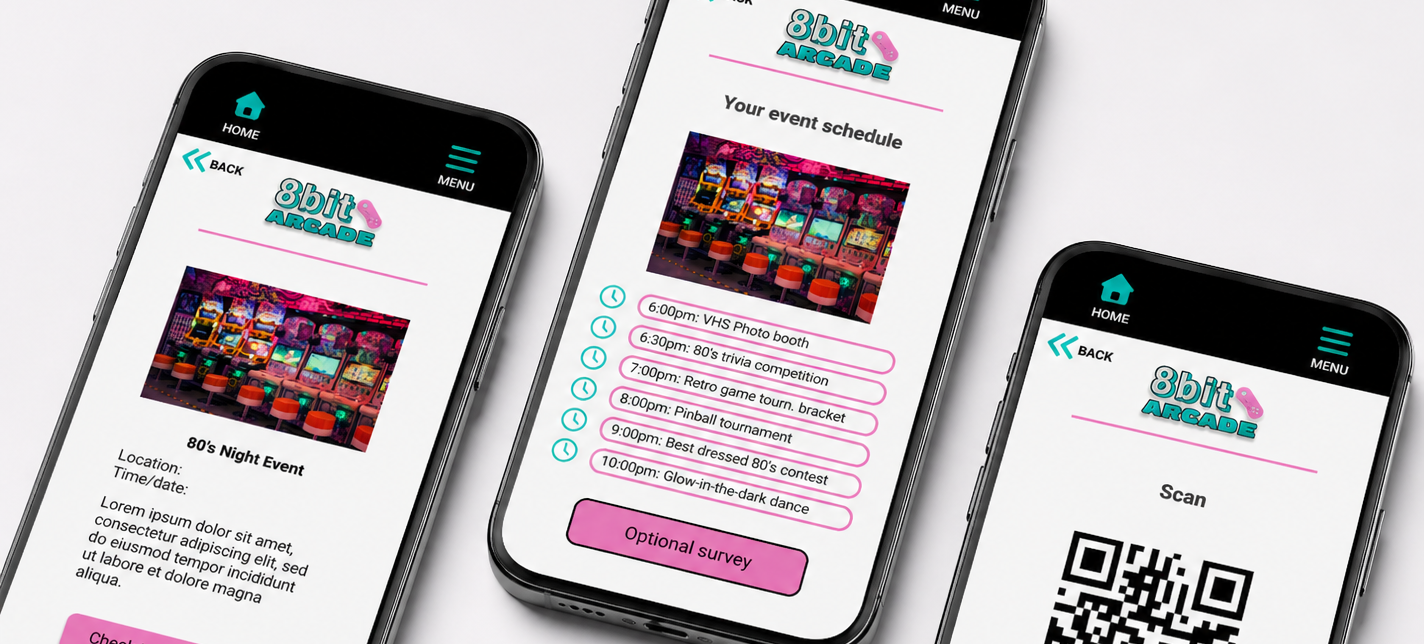
My vision for the 8bit Arcade event check-in, dedicated mobile app was to create a seamless, user-centered experience that removes friction from the event entry process. Drawing from key pain points identified in user personas, such as long wait times, confusion around schedules, and difficulty accessing event details, I designed an intuitive solution that prioritizes clarity, efficiency, and accessibility.
This app was intentionally designed as a mobile-first experience, allowing users to conveniently check in to events directly from their personal devices. By integrating features like QR code scanning, clear event scheduling, and simplified navigation, users can quickly access what they need without unnecessary steps. Every design decision was guided by user needs, ensuring that the experience feels effortless, engaging, and aligned with the fast-paced, nostalgic energy of the 8bit Arcade environment.
CHALLENGES
Balancing a simple interface with essential features without overwhelming users
Creating a low-stress, self-service check-in experience with minimal human interaction
Optimizing usability and readability for mobile screens and quick interactions
Maintaining accessibility while using a bold, neon-inspired visual style
KICKOFF
The project kickoff began as a solo effort where I established the foundation for the work by defining the problem space, clarifying project goals, and identifying the intended users. I outlined key assumptions, constraints, and initial success metrics to guide the direction of the design process. From there, I mapped out a research and exploration plan to ensure the project stayed grounded in user needs and design intent. This early phase helped set a clear structure and focus for the rest of the UX process, from discovery through iteration.
➤ “What problem am I truly trying to solve?”
➤ “Who am I designing this experience for?”
➤ “Why does this solution matter to users?”
➤ “Where do the biggest user pain points exist?”
➤ “When does this experience break down for users?”
➤ “Which assumptions need to be tested first?”
After the kickoff, I synthesized the initial findings into affinity maps to organize patterns, themes, and recurring user needs. This helped me break down unstructured insights into clearer problem areas and identify key pain points that needed to be addressed. From there, I explored possible solution directions through early ideation and iteration, translating those insights into potential features and interaction flows. This process allowed me to stay grounded in user needs while quickly testing different approaches before narrowing in on the most viable solutions.
MEET THE USERS
PRIMARY
Name: Marcus
Age: 19
Occupation: Student

Marcus is a socially anxious attendee who needs a contactless, digital check-in option because traditional in-person check-ins with staff and crowded lines cause stress and discourage him from fully enjoying the event.
“I just want to check in and enjoy the event without having to talk to people.”
Name: Ashley
Age: 27
Occupation: Marketing
SECONDARY
Ashley is a busy, efficiency-focused event-goer who needs a fast and intuitive check-in process because long lines and confusing app interfaces waste time and reduce her enjoyment of the arcade event.
“I just want something fast, cute, and easy so I can get to the fun part.”
COMPETITIVE ANALYSIS
For my 8-Bit Arcade event check-in app, I analyzed existing event management and check-in platforms such as Eventbrite Organizer, Whova, Cvent, and Splash to understand how they handle guest entry, user flow, and overall event experience. While these tools are effective for traditional event operations, they differ significantly from the goals of my app, which focuses on a playful, low-stress, mobile-first arcade-themed experience.
KEY DIFFERENCES BETWEEN COMPETITORS
Eventbrite Organizer
Focuses on ticket scanning and transactional check-in
My app prioritizes a playful, immersive arcade-style entry experience rather than a formal scanning process
Whova
Designed for conferences with networking, agendas, and session tracking
My app removes complexity and instead offers a simple, fast check-in flow with minimal cognitive load
Cvent
Enterprise-level system built for large-scale corporate events and logistics-heavy coordination
My app is lightweight and mobile-first, designed for casual or themed events rather than corporate environments
Splash
Strong emphasis on branded event pages and marketing/RSVP management
My app shifts focus from pre-event marketing to in-the-moment user experience at check-in
Across all competitors, check-in is treated as a functional, operational step rather than an experience. My 8bit Arcade app fills this gap by creating a stress-free, low-interaction, and visually engaging check-in process that reduces anxiety and aligns with the nostalgic arcade theme.
PREPARING THE JOURNEY
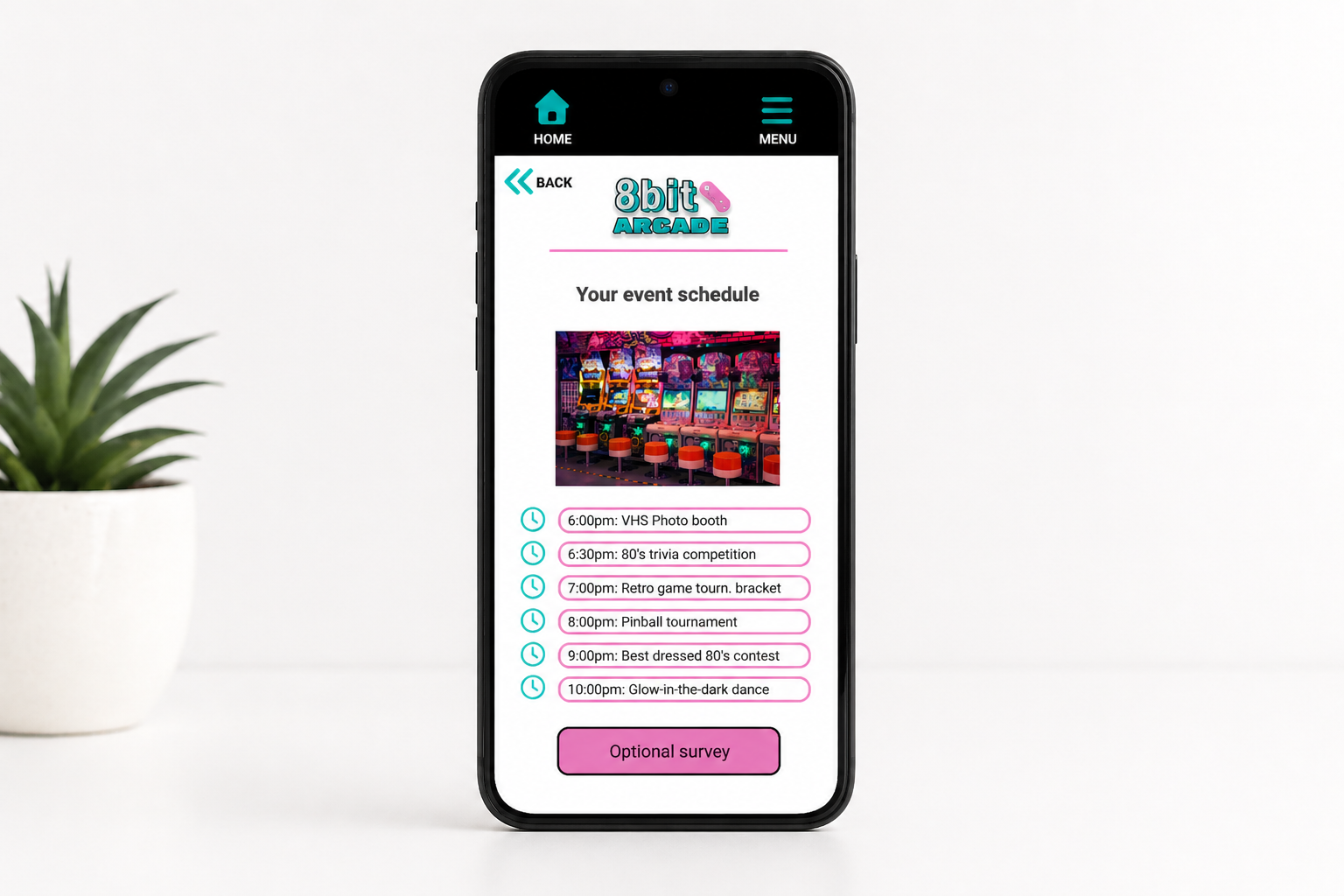
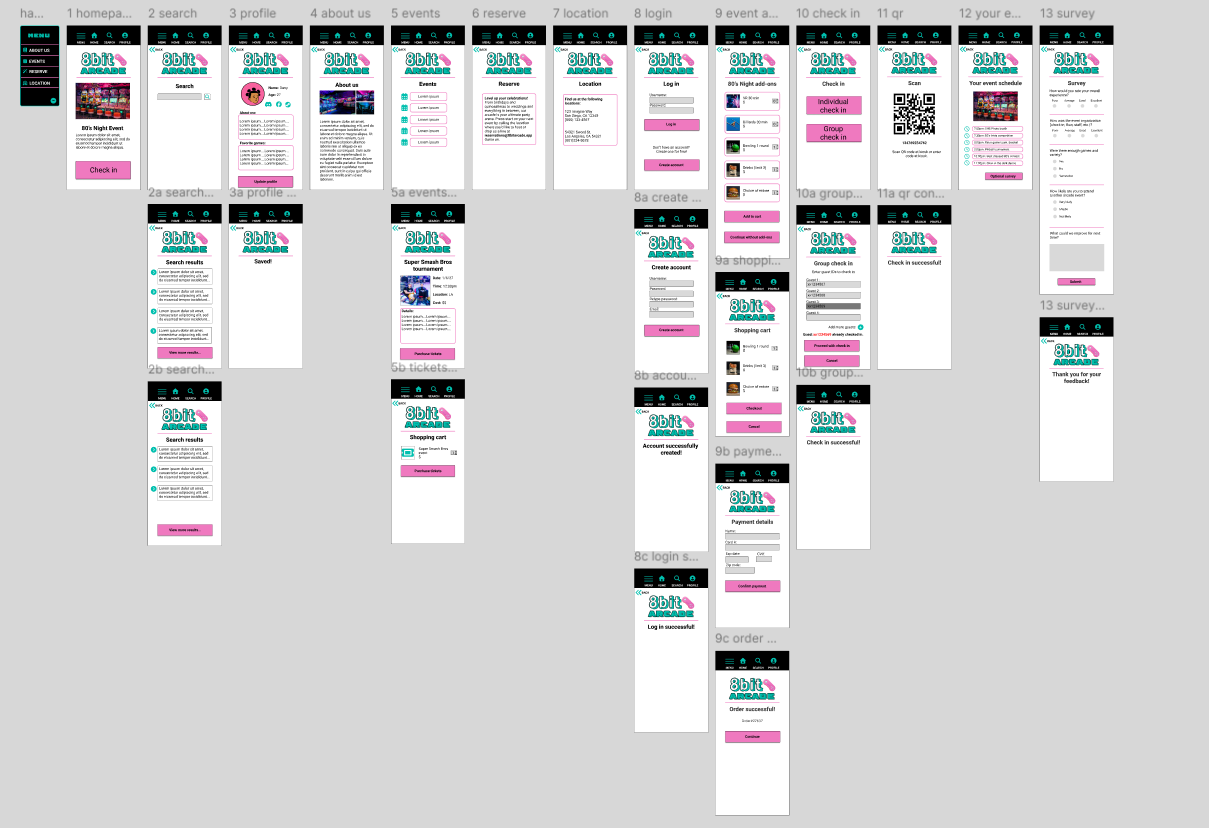
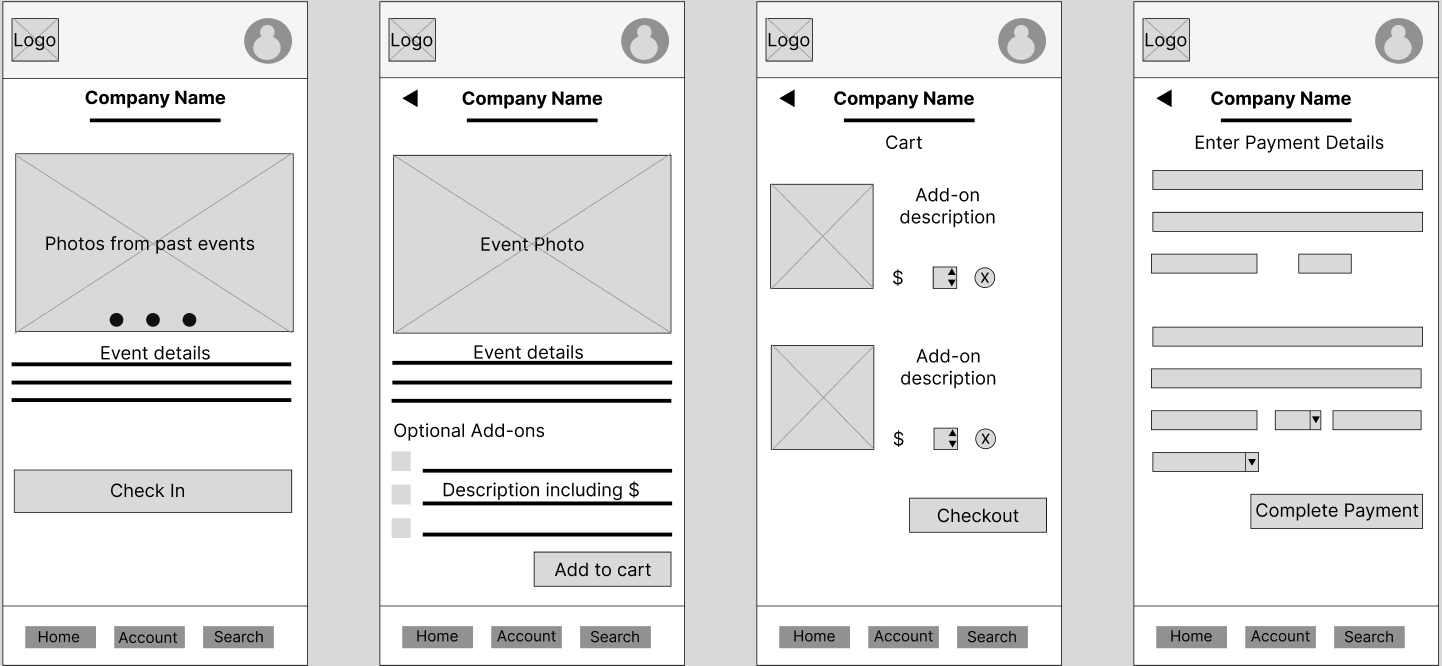
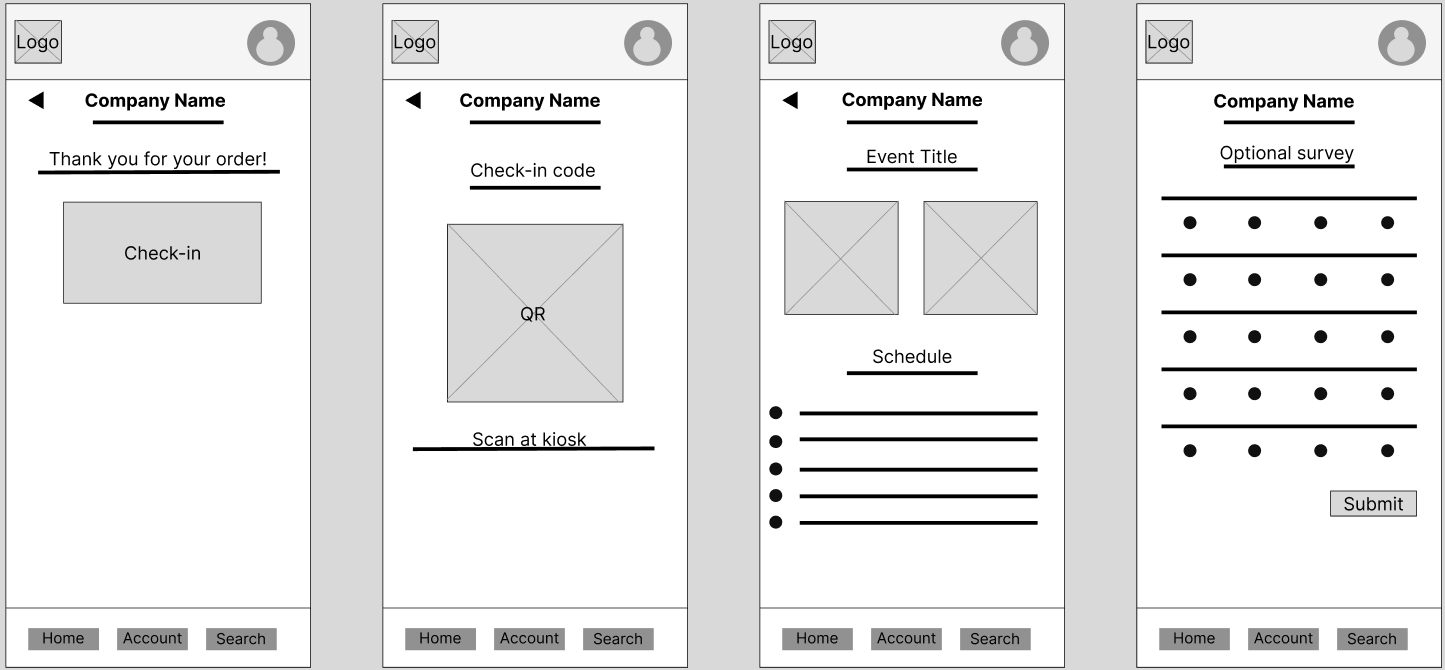
My low-fidelity prototype maps out a streamlined end-to-end user flow designed for quick, stress-free event check-in. Users begin on the homepage and navigate to the event details page, where they can explore information and select optional add-ons before proceeding to a simple shopping cart for review. From there, the flow moves into payment details and an order confirmation screen that includes a clear “check-in” button. After confirmation, users are provided with a QR code for entry, followed by an “Your Event Details” screen that summarizes key information. The experience concludes with an optional post-event survey to gather feedback and insights while keeping the core journey fast and uninterrupted.
After testing the prototype with five participants across task-based scenarios, several consistent usability issues emerged that informed the next iteration of the design:
Confusing navigation
Participants struggled to understand where to go next, often hesitating or backtracking due to unclear navigation pathways.

Too many unnecessary steps and elements
Participants noted that excessive icons, pages, and steps made the experience feel cluttered and more complicated than necessary.
No group check-in option
Users expressed frustration that there was no way to check in multiple attendees at once, making the process feel inefficient for group arrivals.

Lack of action confirmation
Testers were unsure if key actions (like adding items or completing check-in) were successful due to minimal or unclear feedback.

Challenge 1:
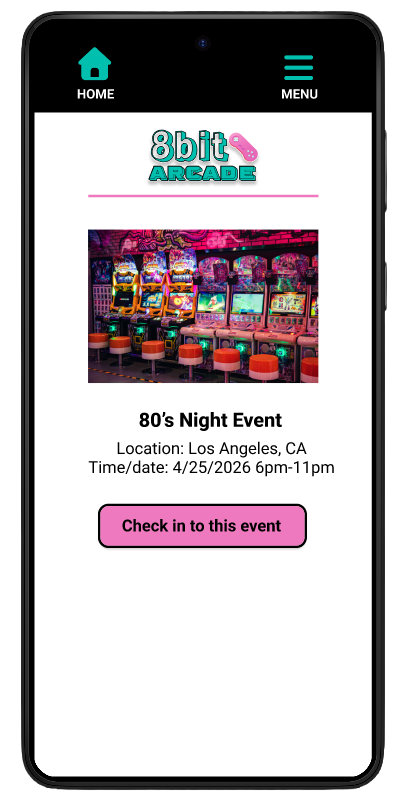
Balancing Simplicity with Functionality
One challenge during the design process was creating an interface that included all essential event and check-in features without overwhelming users with too much information at once. Through multiple design iterations, I reduced visual clutter by simplifying layouts, limiting unnecessary elements, and improving spacing and hierarchy to better guide user attention. I also refined the color contrast and placement of the primary CTA buttons so users could quickly identify the next step in the flow.
Challenge 2:
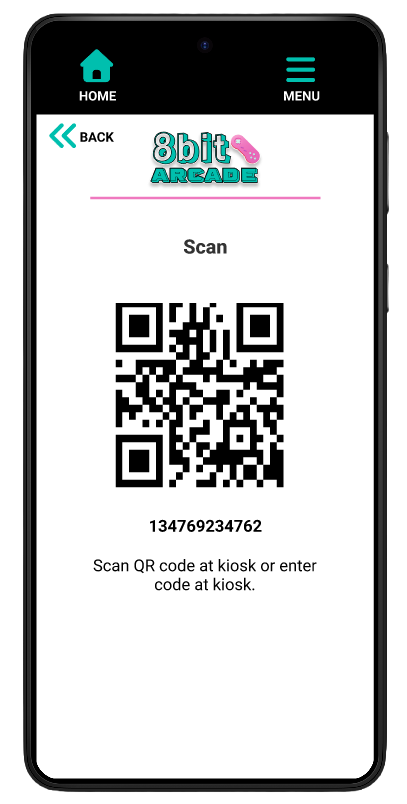
Designing a Low-Stress Self-Service Check-In Experience
A key challenge was designing a check-in flow that felt comfortable and low-pressure for users who prefer minimal human interaction in crowded event spaces. To address this, I iterated the design to create a clear, step-by-step self-service experience with intuitive navigation, scannable QR code access, and concise instructions that reduced uncertainty and helped users move through the process independently.
Challenge 3:
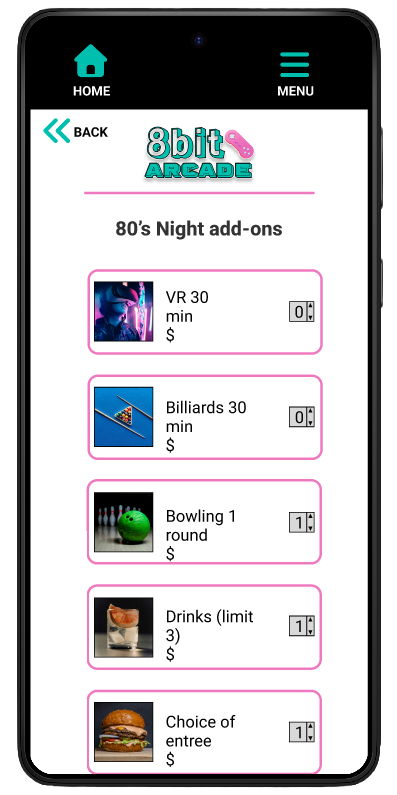
Optimizing for Mobile Usability and Quick Interactions
Designing for mobile required carefully balancing readability, accessibility, and speed so users could complete tasks quickly while navigating busy event environments. Through iterative testing and refinement, I improved button sizing, spacing, typography hierarchy, and screen flow to create a more intuitive experience that supported fast interactions and reduced cognitive load on smaller screens.
Challenge 4:
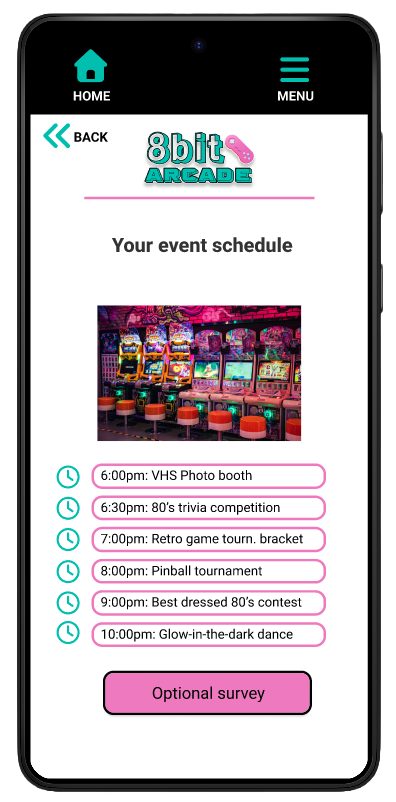
Maintaining Accessibility Within a Bold Visual Style
A major design challenge was balancing the app’s bold, neon-inspired arcade aesthetic with accessibility and readability standards. Throughout the iteration process, I adjusted contrast levels, refined typography choices, simplified background elements, and used consistent visual hierarchy to ensure important information and interactive elements remained easy to identify without losing the energetic visual identity of the brand.
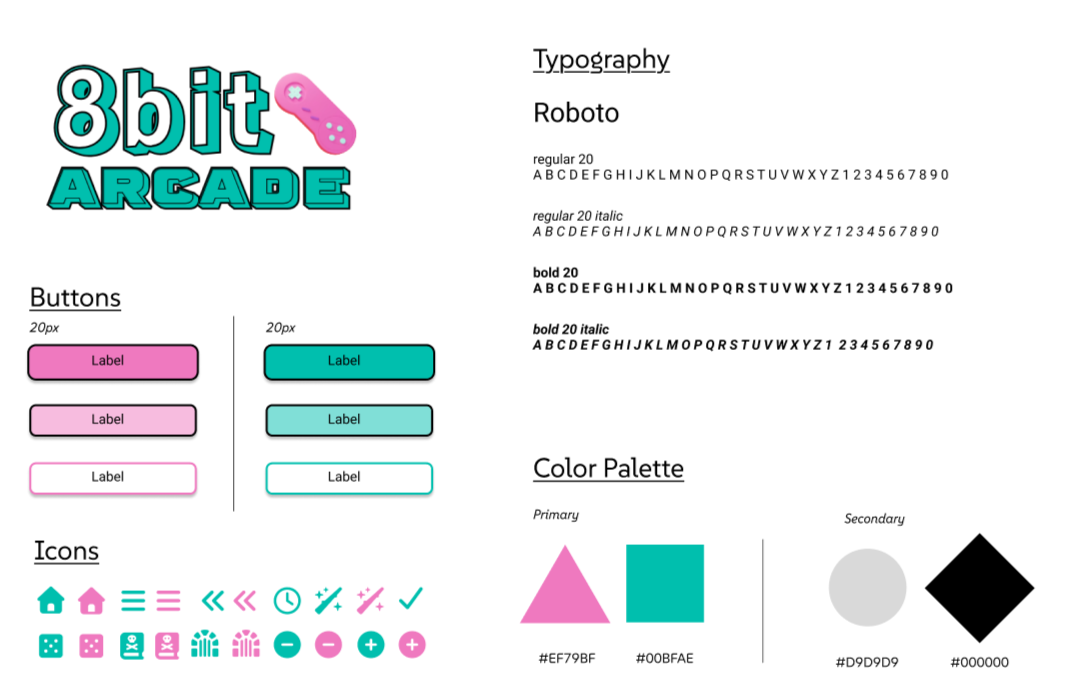
STYLE GUIDE
MOCKUP PROTOTYPE
Video of mockup.
TAKEAWAYS
This project strengthened my understanding of how thoughtful UX design can create experiences that are both visually engaging and highly accessible. Through user research, usability testing, and iterative design improvements, I learned how to balance a bold visual identity with clear navigation, readability, and low-stress interactions for users in fast-paced environments. Designing 8bit Arcade reinforced the importance of user-centered decision making at every stage of the process and further developed my skills in mobile-first design, accessibility, prototyping, and translating user pain points into an intuitive digital experience.
Be sure to check out the process for 8bit Arcade’s creation below.